Envelope Dieline Template Design: A Practical Guide to Custom Packaging and Printing
Creating custom packaging or promotional materials often begins with a simple yet powerful tool: the envelope dieline template design. Whether you're a small business owner preparing for product launches, a designer working on branded merchandise, or a hobbyist crafting personalized gifts, having access to high-quality dielines can streamline your workflow significantly. This article explores how envelope dieline templates fit into the broader design and production process, their practical uses, and tips for integrating them effectively into your projects.
What Is an Envelope Dieline Template?
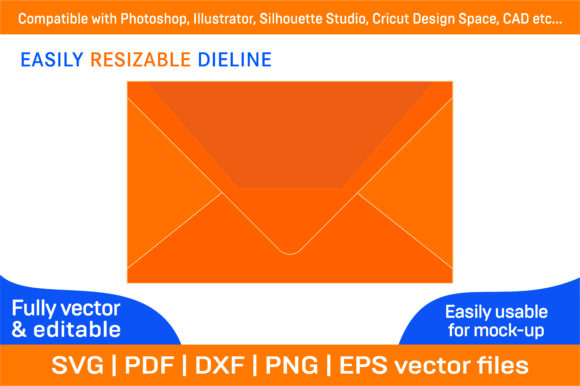
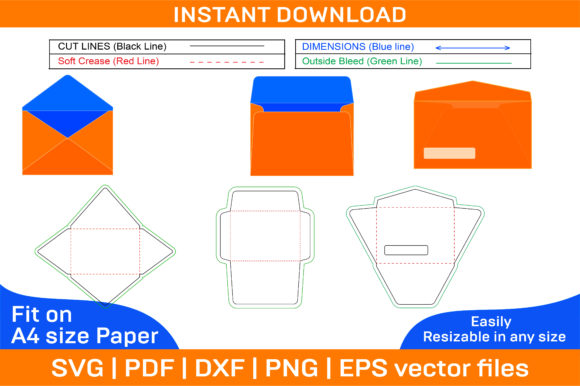
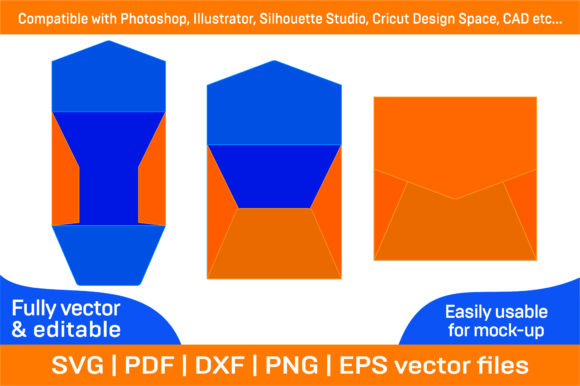
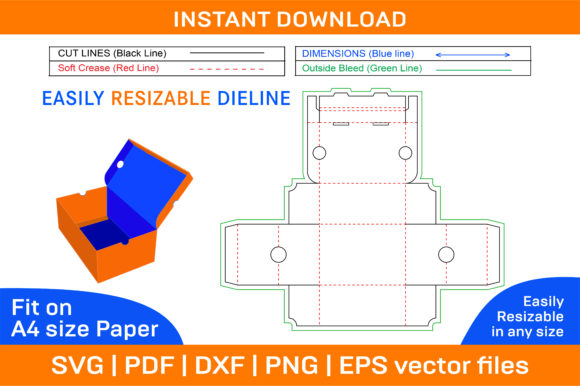
An envelope dieline template is a blueprint that outlines the shape, size, and folding structure of an envelope. It serves as a guide during the printing and cutting process, ensuring precision when assembling the final product. These templates are typically available in vector formats such as SVG, PDF, EPS, DXF, AI, and PNG, making them highly versatile and compatible with various design software and tools.
The ZIP archive containing these files includes both color and blank versions of the templates. The blank version allows for full customization, enabling users to print on any colored paper or add unique designs using their preferred theme. This flexibility makes it an ideal choice for those looking to maintain brand consistency or create one-of-a-kind packaging solutions.
Where Does Envelope Dieline Template Design Fit Into the Workflow?
Envelope dieline templates play a crucial role in several stages of a project:
- Pre-Production Planning: Before starting a print job, designers use dielines to ensure that the artwork aligns correctly with the fold lines and cut marks. This helps avoid misprints and wasted materials.
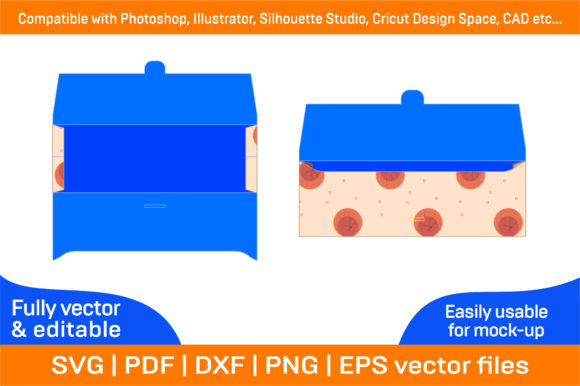
- Digital Mockup Creation: During the design phase, the 3D envelope design view within the template allows creators to visualize how the final product will look once folded. This is especially useful for presentations or client reviews.
- Printing and Cutting: When sending files to a printer or using a home cutter like a Silhouette Studio or Cricut Design Space, accurate dielines ensure clean cuts and professional results.
- Assembly and Testing: After printing, the physical assembly of the envelope becomes easier thanks to pre-marked fold lines and tabs. This stage also allows for quality checks and adjustments before mass production.
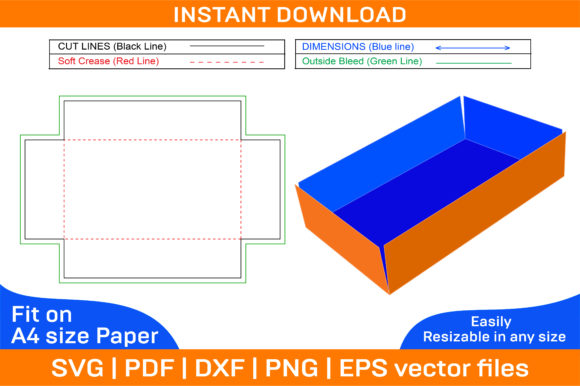
These templates are not limited to envelopes alone. They can also be adapted for paper boxes, folding boxes, and foldable box designs. This broad applicability makes them valuable across multiple industries, from e-commerce packaging to event invitations and educational materials.
Practical Uses Across Industries
Here’s how different professionals might integrate envelope dieline template design into their work:
For Entrepreneurs and Small Business Owners
Custom envelopes and boxes are excellent for branding. An entrepreneur launching a new product line can use a printable box template to design packaging that reflects their brand identity. With the ability to adjust colors and images easily, they can match their logo or marketing assets seamlessly.
For Designers and Marketers
Graphic designers and marketers often need to produce multiple versions of packaging for campaigns or seasonal promotions. The compatibility of these templates with Adobe Illustrator and Photoshop means they can be edited efficiently without losing quality. High-resolution output at 300 dpi ensures professional-grade prints every time.
For Educators and Bloggers
Teachers may use foldable box templates to create interactive learning kits or hands-on activities for students. Similarly, bloggers and content creators can design custom mailers for giveaways or subscription boxes, enhancing the unboxing experience for their audience.
For Hobbyists and DIY Enthusiasts
Hobbyists appreciate the ease of use offered by these templates. The instant download feature after purchase means they can start experimenting immediately. The vector-based nature of the files also allows for scaling without compromising clarity—perfect for creating custom-sized envelopes or boxes tailored to specific needs.
How to Use Envelope Dieline Templates Effectively
To make the most out of your envelope dieline template and 3D envelope design, follow these best practices:
- Understand the Structure: Before editing, review the template thoroughly. Look for fold lines, cut marks, and glue flaps. This understanding helps prevent errors during the printing or assembly process.
- Select the Right File Format: Choose a format compatible with your design software. For example, if you're using AutoCAD for precise measurements, the DXF file would be suitable. If you're working in Illustrator, AI or EPS formats offer more control over vector elements.
- Customize Smartly: Use the blank template as a base for adding your own graphics, text, or logos. Ensure that all elements are placed according to the dieline's specifications to maintain alignment and functionality.
- Test Before Mass Production: Print a test copy using standard A4 paper to verify dimensions and folds. This step is essential for catching any issues early and avoiding costly mistakes.
- Optimize for Different Sizes: Since the files are vector-based, scale them up or down as needed. However, always double-check the proportions and adjust bleed areas accordingly when resizing for non-A4 paper.
Integration with Common Tools and Platforms
One of the standout features of these templates is their compatibility with popular design platforms. Here's how they work with some of the most widely used ones:
- Adobe Illustrator & Photoshop: Ideal for detailed graphic design and photo editing. You can layer your artwork directly onto the template and export it in preparation for printing.
- Silhouette Studio & Cricut Design Space: Perfect for home crafters and small-scale producers. These tools allow for precise cutting of printed envelopes and boxes, even on regular printers and cardstock.
- AutoCAD: Useful for technical drawings and large-scale manufacturing. The DXF format supports exact measurements and can be integrated into automated production systems.
Additionally, since the files include SVG and PDF formats, they’re accessible to users who prefer lightweight or portable file types. This adaptability ensures that the envelope dieline template design fits into diverse workflows with minimal friction.
Efficiency and Organization Tips
When working with multiple templates or projects, maintaining organization is key. Here are some strategies to help:
- Use Clear Naming Conventions: Name your files based on purpose (e.g., "Wedding_Envelope_Dieline") and date to keep track of revisions and variations.
- Keep Original Files Intact: Always save a copy of the original template before making changes. This ensures you have a baseline to refer back to if needed.
- Leverage Layers: In vector software like Illustrator, use layers to separate the dieline from your custom artwork. This simplifies edits and prevents accidental deletion of structural elements.
- Plan for Consistency: If you're designing multiple related items (like matching boxes and envelopes), maintain consistent measurements and styles across all templates to enhance brand coherence.
Quality Control and Long-Term Use
Maintaining high standards is vital when using envelope dieline template design in professional settings. Here are some considerations:
- Check for Bleed Areas: Ensure that important elements don’t fall too close to cut lines. Leaving a margin of 3–5 mm around the edges prevents unwanted white borders after trimming.
- Print Test Samples: Especially when switching between digital mockups and physical outputs, testing on actual paper helps catch discrepancies in color, texture, and fold accuracy.
- Review Compatibility Settings: Confirm that your chosen printer supports the file format and resolution. Some printers may require CMYK color profiles instead of RGB, so adjusting these settings in advance is recommended.
- Archive Completed Projects: Save completed versions of your customized templates for future reference or reuse. This builds a library of assets that can speed up similar projects down the line.
Why Vector-Based Files Matter
Vector-based files like SVG, EPS, and AI offer significant advantages over raster formats. They maintain crisp edges and clear details regardless of size, which is especially important when dealing with intricate folds or fine text. This scalability is invaluable for users who want to print envelopes and boxes in different sizes while keeping the same level of professionalism and quality.
Moreover, the ability to edit individual components of the template—such as changing the flap style or adjusting tab lengths—without affecting the overall structure gives designers greater creative freedom. It also reduces the need for outsourcing or hiring additional help for minor tweaks.
Final Thoughts on Implementation
Incorporating envelope dieline template design into your workflow isn't just about convenience—it's about precision and efficiency. From initial concept to final product, these templates provide a reliable foundation for custom packaging and printing projects. By choosing the right format, staying organized, and testing before committing to large batches, you can ensure that your final pieces meet expectations in both form and function.
If you encounter any issues while using the files, remember that support is available. Reaching out promptly can resolve technical problems and improve your overall experience with the templates.
Whether you're designing for business or personal use, the combination of 3D envelope design, paper box templates, and printable box templates offers a robust toolkit for achieving professional results. Embrace this resource as part of your planning and execution process to elevate your projects with confidence and creativity.