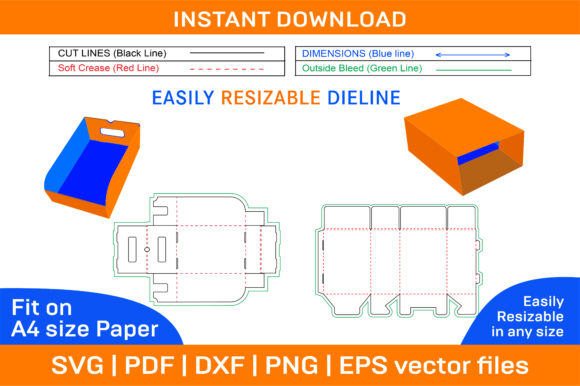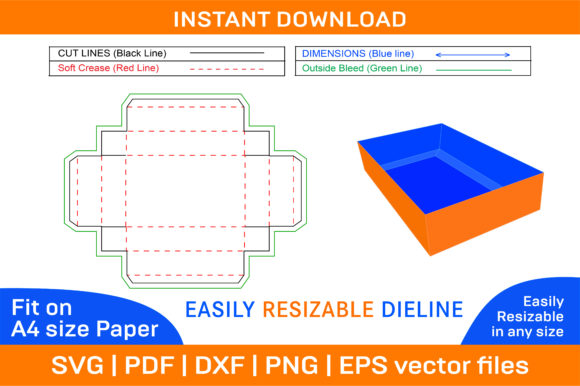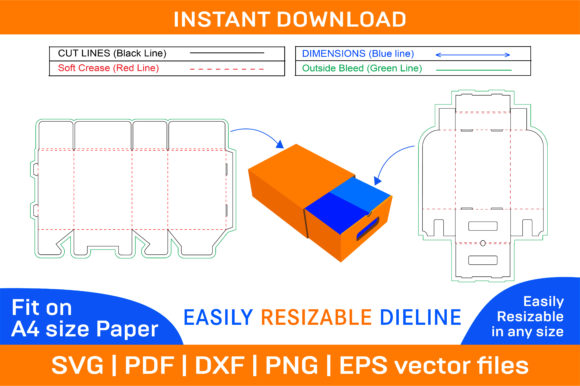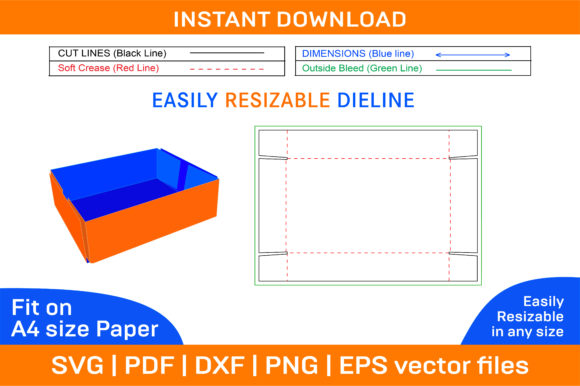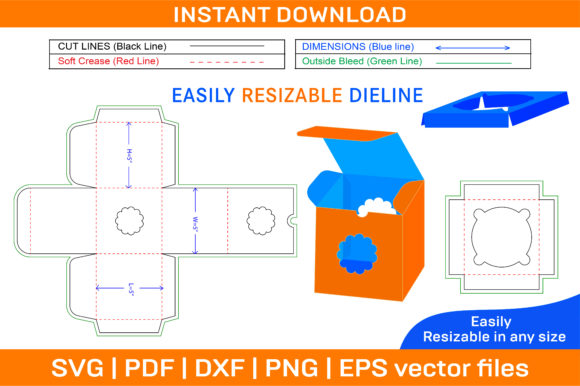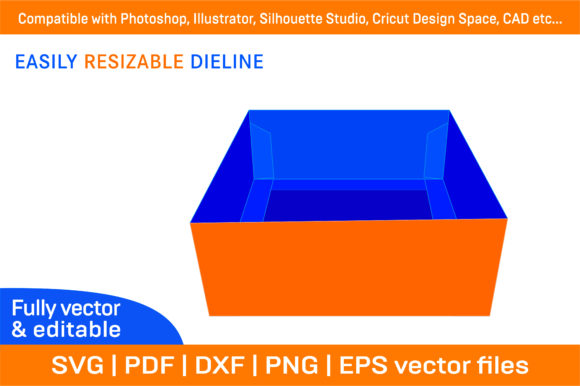
Trays Box, Standard Tray Box with Reinforcing Tabs
What Is a Trays Box and Why It Matters
A Trays Box, Standard Tray Box with reinforcing tabs, is more than just a simple packaging solution—it’s a versatile foundation for creative expression. Designed as a printable dieline template, it allows users to produce custom boxes with precision and ease. Whether you're a designer looking to craft unique packaging for a product or an educator preparing materials for a classroom project, this box format offers both structural integrity and design flexibility. The key feature of the Standard Tray Box is its built-in reinforcing tabs, which provide extra stability when folded. This makes it ideal for holding delicate items like jewelry, chocolates, or electronics without compromising on aesthetics. The 3D box design ensures that your creations look professional and well-constructed from every angle.A Toolkit for Every Creative Need
When you purchase the Trays Box, Standard Tray Box with reinforcing tabs template, you receive a comprehensive ZIP archive filled with multiple file formats: SVG, PDF, EPS, DXF, AI, and PNG. These files are not only high-resolution (300 dpi) but also vector-based, ensuring crisp edges and scalability no matter the size of your print.Customization Made Simple
One of the most appealing aspects of the Standard Tray Box is its adaptability. The package includes both color and blank templates, giving you complete control over the final appearance. If you prefer a minimalist look, use the blank version and print on paper of your choice. Want to add branding or intricate artwork? The color template provides a base that you can build upon.- Brand owners can incorporate logos and brand colors to create cohesive packaging.
- Hobbyists might add hand-drawn illustrations or photographs for personalized gifts.
- Marketers could design eye-catching displays for events or pop-up shops.
Printable Templates for Real-World Projects
- E-commerce Packaging: Entrepreneurs can use the Standard Tray Box to design branded gift boxes or product holders that stand out in a crowded market.
- Event Displays: Marketers and bloggers can create foldable stands or display units for conferences, trade shows, or social media content setups.
- Classroom Crafts: Educators can guide students through hands-on learning by having them assemble and decorate these boxes for school projects or science fair exhibits.
- Artistic Creations: Freelancers and designers can explore new styles—geometric patterns, vintage textures, or modern minimalism—all within the same box structure.
Designing with Purpose
When working with a paper box or foldable box template, it's important to think about the end use. Will it hold a product? Serve as a display? Or be part of an artistic installation? For example, if you're designing a gift box for a boutique, consider how the opening mechanism will work. The reinforcing tabs ensure durability, so you can safely include features like magnetic closures or ribbon handles. On the other hand, if you're using it for educational purposes, focus on simplicity and clarity—making it easy for students to follow the folding steps.Realistic Project Ideas to Get You Started
For Small Business Owners: Create a series of themed boxes for seasonal promotions. Use the reinforcing tabs to add extra strength where needed, especially if the boxes will be shipped or handled frequently. Think of holiday packaging, anniversary editions, or special launch boxes.
For Bloggers & Content Creators: Use the 3D box design as a backdrop for unboxing videos or product showcases. Customize each box with different themes to match your content style—whether it’s tech gadgets, beauty products, or DIY kits.
For Educators: Integrate the box into STEM lessons by having students calculate dimensions, cut and fold accurately, and present their designs. It’s a tactile way to teach geometry, engineering basics, and artistry all in one.
For Hobbyists: Turn these boxes into custom organizers for your home or workspace. Add labels, paint the exterior, or even upcycle old boxes with new designs. The reinforcing tabs help keep everything secure and sturdy.
Organized Creativity: Tips for Effective Customization
- Plan Your Layout: Before printing, sketch your design elements on the template. Make sure there's enough space for text, images, and functional parts like flaps or handles.
- Use Layers in Design Software: When editing in Illustrator or Photoshop, separate background, text, and graphics onto different layers. This keeps your workflow clean and makes revisions easier.
- Test Print First: Always do a test run before printing in bulk. This helps catch alignment issues or registration problems early on.
- Keep Original Files: Save your customized versions in the native file format (like AI or SVG) so you can edit them later without reworking from scratch.