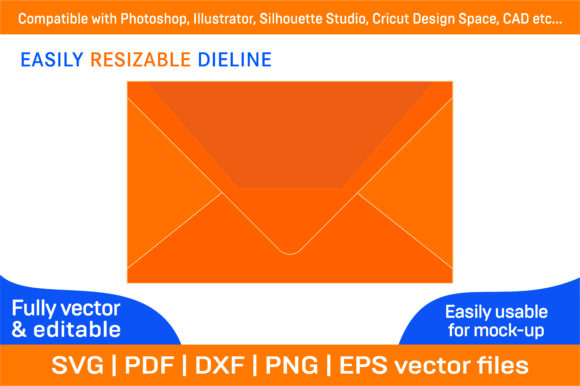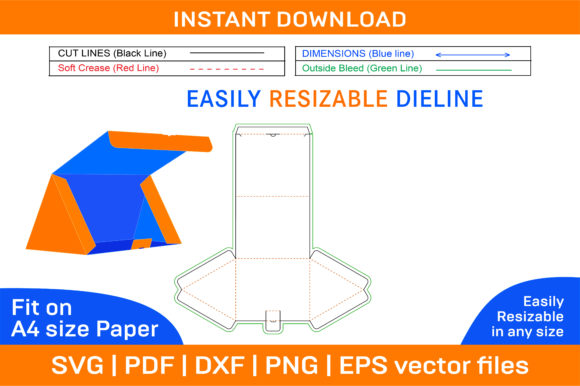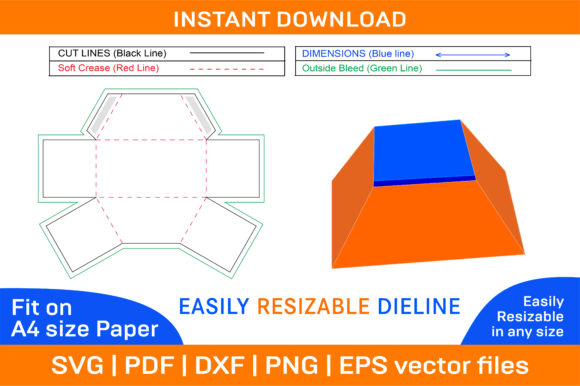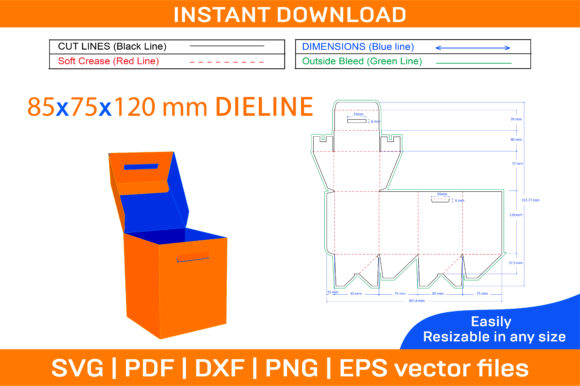
Corrugated Foldable Box Dieline Template for Custom Projects
Creating custom packaging doesn't have to be a complex or expensive task. The Corrugated Foldable Box Dieline Template offers a versatile and high-quality solution for anyone looking to design their own foldable boxes. Whether you're a small business owner, a hobbyist, or a professional designer, this template simplifies the process of crafting boxes that are not only functional but also visually appealing. With its compatibility across multiple design platforms and formats like SVG, PDF, EPS, DXF, AI, and PNG, it's an all-in-one tool for bringing your packaging ideas to life.
What is a Corrugated Foldable Box Dieline Template?
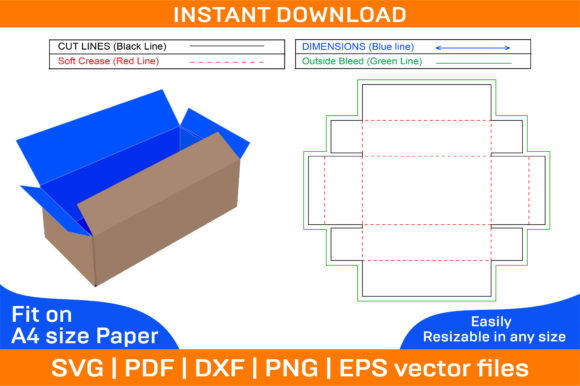
A dieline template is essentially a blueprint used in packaging design to show where cuts, folds, and glue areas should be made. When it comes to corrugated foldable boxes, the dieline ensures the box maintains structural integrity while allowing for easy assembly. This type of template is especially useful when working with materials like cardboard or paperboard, which require precise folding lines to create sturdy and professional-looking packages.
The Corrugated Foldable Box Dieline Template includes both color and blank versions. This means you can either print directly from the provided artwork or customize it by adding your own colors, logos, and images. All files are vector-based, ensuring sharp and scalable designs regardless of the printing size. Additionally, they’re optimized for A4 paper, but can be adjusted to fit any paper size needed for your project.
For Beginners: A Simple Way to Start Designing
If you're new to packaging design, the idea of creating a box from scratch might seem daunting. This template removes much of the guesswork by providing a ready-to-use layout. You can easily modify it using software like Adobe Illustrator or Photoshop, even if you don’t have advanced skills. For example, a beginner blogger making DIY gift boxes for content could use the blank template to add personal touches without needing technical expertise.
The ease of use and instant download feature make it ideal for those who want to experiment quickly and see results without investing time in learning complex design tools. It’s a great starting point for understanding how box structures work before moving on to more intricate projects.
For Professionals: Streamline Production and Prototyping
Graphic designers, packaging engineers, and product developers often need to produce multiple prototypes or adjust existing designs to meet client needs. The Corrugated Foldable Box Dieline Template allows them to do just that—efficiently and reliably. Its high-resolution quality (300 dpi) ensures crisp prints suitable for commercial production, while the availability of various file types supports integration into different workflows.
Professionals may also appreciate the flexibility to scale the template for larger runs or different sizes of corrugated material. Imagine a marketing agency preparing promotional boxes for a client launch; with this template, they can test several versions and finalize the best one before mass production.
For Educators and Students: Teach Practical Design Skills
Design educators often look for tools that combine creativity with real-world application. The 3D box design aspect of this template makes it a valuable resource for teaching spatial awareness, structural design, and material properties. Students can learn how to assemble a box from a flat dieline, understand fold lines and tabs, and explore the relationship between digital design and physical output.
With the ability to print on any color paper, students can experiment with themes, branding, and sustainability concepts. An art class, for instance, could use the blank template to design eco-friendly packaging as part of a project on reducing waste in consumer goods.
For Small Business Owners: Cost-Effective Branding and Packaging
Small businesses frequently face budget constraints when it comes to packaging. Outsourcing custom box design can be costly, but with the Corrugated Foldable Box Dieline Template, they can maintain brand consistency without breaking the bank. The customizable nature of the template lets entrepreneurs incorporate their logo, color scheme, and product imagery seamlessly.
Consider a boutique selling handmade candles. Instead of paying for pre-printed boxes, they can use the printable template to create unique, branded packaging that reflects their aesthetic. Since the template is compatible with many design programs, they can work within their preferred tools to ensure everything aligns with their brand identity.
Marketing and Product Launches
Marketers aiming to create buzz around a product can leverage this template to develop eye-catching packaging for sample giveaways or limited-edition items. The ability to print on colored or textured paper gives them creative freedom to match the product’s personality. For instance, a tech startup launching a new smart device might choose a sleek black template with metallic accents to reflect innovation and modernity.
E-commerce Businesses
In the world of online retail, presentation is key. E-commerce sellers can use the Corrugated Foldable Box Dieline Template to create branded unboxing experiences. The template’s scalability and high-quality resolution ensure that the final product looks polished whether printed at home or through a commercial printer. A handmade soap seller, for example, could design a minimalist white box with natural elements printed on it, reinforcing the product’s organic appeal.
Crafters and Hobbyists
Craft enthusiasts love to personalize their creations, and this template fits perfectly into that mindset. From holiday gift boxes to storage containers, the blank design allows for endless customization. If you're into scrapbooking or model-making, you can print the template onto patterned paper or cardstock to enhance your craft projects.
Event Planners and Wedding Creators
Event planners often need custom packaging for invitations, favors, or decor. Using a foldable box die line, they can create elegant and reusable boxes tailored to the event theme. The template’s adaptability shines here, as it can be resized to accommodate different item dimensions and decorated with wedding motifs, floral patterns, or personalized text.
Priorities and Benefits for Each User
- Beginners: Prioritize ease of use and learning value. The template helps them grasp basic packaging design principles without overwhelming them with complexity.
- Professionals: Focus on reliability, speed, and scalability. They benefit from the template’s precision and compatibility with industry-standard software.
- Business Owners: Value cost-effectiveness and brand alignment. It allows them to produce consistent packaging affordably while maintaining control over design elements.
- Students and Educators: Emphasize educational value and experimentation. The template serves as a practical tool for learning about form, function, and material behavior.
- Hobbyists and Crafters: Look for creativity and flexibility. The option to print on any paper color or texture makes it perfect for artistic expression.
How to Choose the Right Version for Your Needs
One of the standout features of this template is the inclusion of both color and blank options. If you're planning to print your design on plain paper and add your own graphics, the blank template is the way to go. On the other hand, if you prefer a ready-made design that requires minimal editing, the color version provides a solid foundation.
Here are some quick tips based on user type:
- Startups and Brands: Go with the blank template to maintain full control over branding and aesthetics.
- Event Creators: Opt for the color template as a base, then tweak it to match the event theme.
- Students: Use the template to practice layout adjustments and understand the importance of clean, structured design.
- DIY Enthusiasts: Experiment with both templates to compare outcomes and decide what works best for your style.
Getting Started with the Template
Once you’ve downloaded the ZIP archive, you’ll find SVG, PDF, EPS, DXF, AI, and PNG files. These formats cater to a wide range of uses—from digital editing in design software to laser cutting in Circuit Design Space or Silhouette Studio. Here’s a brief overview of how each format can be used:
- SVG/EPS/AI: Ideal for editing in Adobe Illustrator or similar vector-based software.
- DXF: Best suited for CAD software like AutoCAD, especially if you plan to cut the box using a CNC machine or laser cutter.
- PDF: Great for direct printing, especially when you don’t need to edit the design further.
- PNG: Useful for visual references or incorporating the design into digital mockups.
To begin, open the template in your preferred program, customize it with your artwork or text, and print it out. Once printed, follow the fold lines carefully and assemble the box. The precision of the dieline ensures that even first-time users can achieve professional results.
Customization Tips for Maximum Impact
While the template is designed to be user-friendly, there are a few things to keep in mind when customizing:
- Use high-quality images and fonts to maintain the 300 dpi standard.
- Make sure to leave adequate margins around fold lines to avoid misalignment during printing or cutting.
- Test your design with a small print run before going large-scale to catch any errors early.
- Consider using sustainable materials if your project focuses on eco-friendliness or green initiatives.
These small details can significantly affect the final outcome. For example, a freelancer designing boxes for a local artisan market would want to ensure that the printed template aligns perfectly with the chosen paper stock and cutting method.
When This Template Is the Right Choice
Not every project will require a corrugated foldable box dieline, but if yours does, this template could be a game-changer. Ask yourself these questions to determine if it fits your goals:
- Do I need a box that’s easy to assemble and disassemble?
- Am I looking for a scalable and editable design?
- Would I benefit from having both color and blank options available?
- Can I use this template across different software or manufacturing methods?
If you answered “yes” to most of these, then the Corrugated Foldable Box Dieline Template is likely a good fit. It’s particularly useful for projects that demand a balance between functionality and aesthetics, such as retail packaging, event supplies, or custom gifts.
Conclusion
Whether you're designing for a small business, a school project, or a personal hobby, the Corrugated Foldable Box Dieline Template provides the tools you need to create custom, professional-grade boxes. Its combination of flexibility, quality, and accessibility makes it a valuable asset across multiple industries and skill levels. By offering both color and blank versions in multiple formats, it adapts to your specific needs, empowering you to bring your vision to life with confidence and precision.
If you ever encounter issues or have questions about using the template, don’t hesitate to reach out for assistance. The goal is to help you succeed in your creative endeavors—no matter where you are in your journey.