Auto Bottom Closer Box Dieline Template for Custom 3D Boxes
If you're looking to design and print your own custom boxes with ease, the Auto Bottom Closer Box Dieline Template is a must-have resource. This versatile template is perfect for anyone who wants to create professional-looking folding or foldable boxes without needing advanced packaging design skills. Whether you're an entrepreneur launching a new product, a hobbyist crafting personalized gifts, or a designer working on a client project, this tool can help you bring your ideas to life quickly and efficiently.
What Is an Auto Bottom Closer Box Dieline Template?
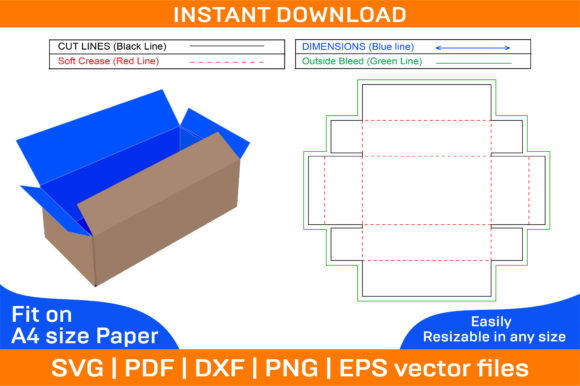
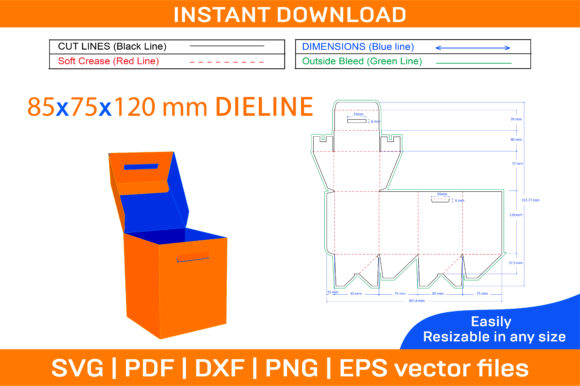
An Auto Bottom Closer Box Dieline Template is essentially a blueprint for constructing a box that folds together neatly and securely. The "auto bottom closer" feature refers to a clever design element where the bottom of the box closes automatically when folded correctly—eliminating the need for glue or fasteners in many cases. These templates are commonly used in paper box manufacturing and DIY packaging projects because they ensure precision and consistency in the final product.
How It Works
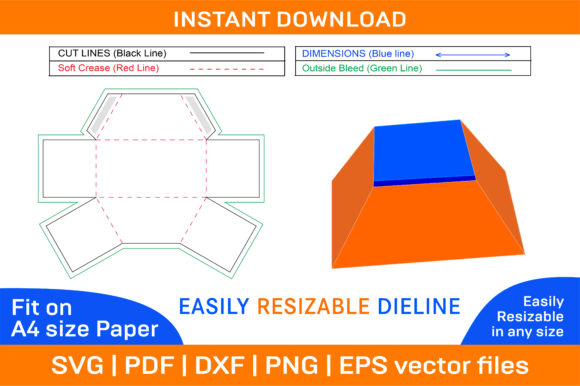
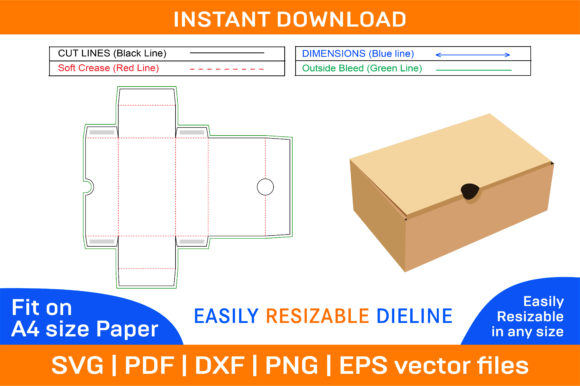
The dieline defines the exact shape and size of each panel, along with fold lines and cutouts. When printed and assembled, it forms a sturdy, three-dimensional box. Thanks to its structured layout, users can customize the box with their preferred colors, logos, images, or text before printing. This makes it ideal for branding, gifting, retail packaging, and more.
Key Features and Benefits
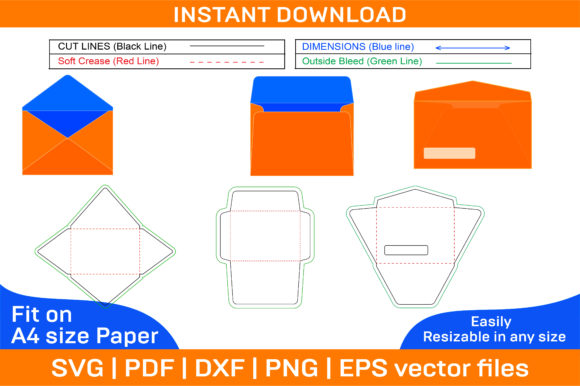
- Multiple File Formats: The ZIP archive includes SVG, PDF, EPS, DXF, AI, and PNG files, ensuring compatibility across various software like Photoshop, Illustrator, Silhouette Studio, Cricut Design Space, and AutoCAD.
- Vector-Based Quality: All files are vector-based, which means they retain crisp edges and clarity at any size. This is especially important for professional-grade results when printed on different types or sizes of paper.
- High-Resolution Print Support: With a resolution of 300 dpi, the designs look sharp and clean whether printed at home or by a commercial printer.
- Blank and Color Templates: The package provides both a color version and a blank one so you can print on any paper color you prefer. This flexibility allows for creative freedom while maintaining structural integrity.
- Instant Download: After purchasing, you’ll receive all the files immediately, making it easy to start designing right away.
Why Choose Vector Files?
Vector graphics are scalable without losing quality, which is essential for packaging design. Unlike raster images (like JPEGs or PNGs), vectors maintain their sharpness no matter how large or small the final print size. This is particularly useful if you plan to adjust the box dimensions or use high-end printing equipment later on.
Real-Life Applications and Use Cases
There are countless ways to use an Auto Bottom Closer Box Dieline Template. Here are some common scenarios:
For Small Businesses and Entrepreneurs
Startups often need affordable yet professional packaging solutions. With this template, you can design custom boxes that reflect your brand’s identity. For example, a candle company might add their logo and a floral pattern to the box surface to match their product aesthetic. The auto-closing bottom ensures the box holds up well during shipping and looks polished on store shelves.
For Crafters and Hobbyists
If you enjoy handmade gifts or personalized crafts, these templates open up a world of possibilities. You could create custom jewelry boxes for friends, themed gift containers for holidays, or even decorative boxes for photo storage. The blank template gives you full control over the visual elements, letting you tailor the design to fit your personal style or event theme.
For Educators and Students
Teachers can incorporate these templates into art classes or STEM activities to teach students about geometry, spatial awareness, and design principles. A student project on 3D modeling could involve using the template as a base to experiment with different materials and styles. The ability to print on colored paper also adds an educational value for younger learners who want to see how design choices affect the final outcome.
For Marketing and Promotional Campaigns
Marketers and bloggers can use printable box templates to enhance their content or promotions. Imagine creating a branded sample box for a blog post on eco-friendly living, or designing a promotional item for a pop-up shop. The auto-bottom closer design ensures the boxes are user-friendly and visually appealing—important factors in attracting attention and engagement.
Getting Started: Tips for Beginners
Even if you're new to box design, the Auto Bottom Closer Box Dieline Template is surprisingly straightforward to use. Here are a few tips to help you get started:
- Choose Your Software: Make sure you’re using compatible design tools like Adobe Illustrator or Silhouette Studio. Each file format has specific strengths, so pick the one that works best with your workflow.
- Understand the Dieline: Take time to study the layout of the template. The fold lines and cut marks are crucial for assembling the box properly. Misinterpreting them could lead to misshapen or non-functional boxes.
- Select the Right Paper: While the template is designed for A4 paper, you can scale it to other sizes. Just remember that thicker cardstock will result in a sturdier finished box, while thinner paper may be better for lightweight items or intricate designs.
- Customize Thoughtfully: Use the blank template to apply your own artwork, photos, or text. Keep in mind that too much detail might complicate the folding process. Balance aesthetics with functionality for the best results.
Important Considerations Before Choosing
Before downloading the template, consider the following to make sure it fits your needs:
- Purpose: Are you making a single-use gift box or planning to produce multiple units for a business? Some templates are optimized for small batches, while others support mass production.
- Printing Equipment: If you're printing at home, confirm that your printer supports the chosen file formats and paper sizes. Commercial printers might have different requirements or offer additional finishing options.
- Design Complexity: More intricate designs may require higher skill levels or specialized tools. Don’t hesitate to reach out if you run into technical issues—the seller encourages communication for support.
- Material Compatibility: While the template is ideal for paper, you can also experiment with other materials like cardboard or chipboard. Adjustments might be needed depending on thickness and texture.
Customization Made Simple
One of the standout features of the Auto Bottom Closer Box Dieline Template is its adaptability. You can easily modify the design to suit your preferences or project needs. For instance, if you're organizing a party, you might print the template on pastel-colored paper and add fun illustrations or patterns. On the other hand, a minimalist blogger could opt for a clean white background with subtle typography to match their website’s style.
Since the template is available in multiple versions, including a color option and a blank one, you can choose what suits your vision best. This flexibility ensures that every user—from novices to professionals—can find a starting point that aligns with their goals.
Where Can I Find These Templates?
These templates are typically available through digital marketplaces or directly from designers who specialize in packaging and printables. Once purchased, they come in a ZIP file with all necessary assets included. The instant download feature means you don't have to wait days for physical materials—just extract the files and start designing.
Technical Support and Troubleshooting
If you encounter any issues with the files—whether it's scaling, alignment, or software compatibility—reach out to the creator. They're committed to helping you achieve the best possible results and are usually quick to respond to customer inquiries.
Final Thoughts on Flexibility and Creativity
Whether you're building a product line or just trying out a new craft idea, the Auto Bottom Closer Box Dieline Template offers a reliable foundation. Its blend of practicality and creativity makes it a valuable asset for individuals and businesses alike. From paper box enthusiasts to those exploring 3D box design, this template simplifies the process of bringing your packaging visions to life.
With the right tools and a bit of imagination, you can turn a simple printable box template into something truly unique. So why not give it a try today and discover how easy it is to design and assemble your own custom foldable boxes?