Custom Tiffin Box or Paper Lunch Box Design Templates
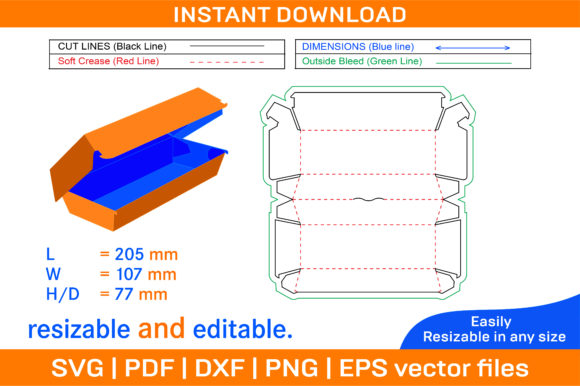
Creating your own Tiffin Box or Paper Lunch Box, Food Box is easier than you might think. Whether you're a small business owner looking to design branded packaging or a DIY enthusiast wanting to craft personalized food containers, the right tools and templates can make all the difference. A die line template for a Tiffin box provides the foundation for crafting custom boxes that are both functional and visually appealing.
What Is a Tiffin Box or Paper Lunch Box?
A Tiffin Box or Paper Lunch Box is typically a compact, multi-compartment container used to carry meals, snacks, or other food items. These boxes are popular in various cultures and are especially common in South Asia, where they are traditionally made of metal but have now evolved into paper-based versions for eco-friendliness and convenience. The modern paper lunch box offers a sustainable alternative while maintaining the same practicality—perfect for keeping food organized and fresh during transport.
Key Features of a Tiffin Box or Paper Lunch Box
- Foldable design: Most Tiffin boxes come with a folding mechanism, making them easy to store when not in use.
- Multiple compartments: Allows separation of different foods, preventing flavors from mixing and keeping things neat.
- Eco-friendly materials: Constructed from durable yet recyclable paperboard.
- Customizable aesthetics: You can print your logo, artwork, or any design on the box for branding or personalization.
Why Use a Die Line Template for Your Tiffin Box or Paper Lunch Box?
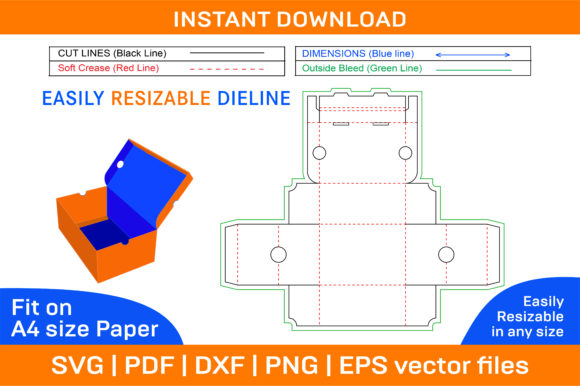
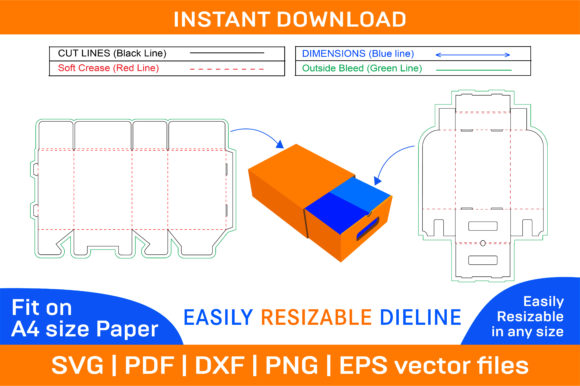
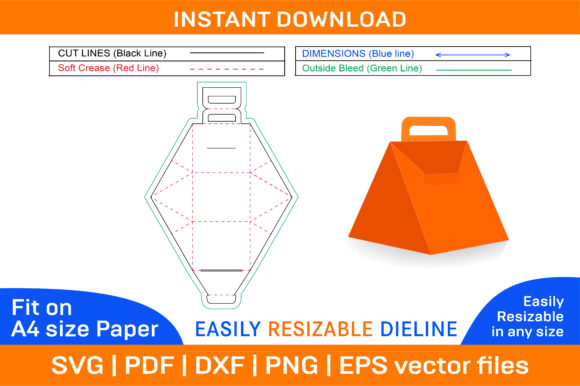
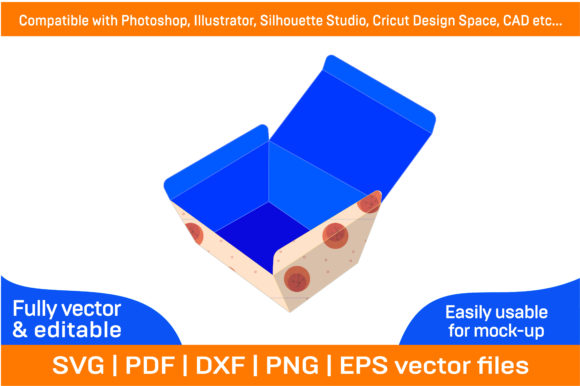
Designing a Tiffin box from scratch requires precision and knowledge of packaging dimensions. A die line template takes care of the technical side, ensuring your box folds correctly and fits together seamlessly. With the help of a 3D box design, you can visualize how the final product will look before printing. This is especially useful for those who aren’t familiar with packaging design software or terminology.
How It Works
The ZIP archive includes multiple file types like SVG, PDF, EPS, DXF, AI, and PNG. These formats cater to different uses: vector files (SVG, EPS, AI) allow for scaling without loss of quality, while raster files (PNG) are ideal for previewing printed designs. The package contains both color and blank templates, giving you the flexibility to either start with a pre-designed layout or create something entirely new using your preferred theme.
Practical Uses Across Different Fields
Whether you’re a blogger, marketer, educator, or entrepreneur, these templates open up a world of possibilities:
For Entrepreneurs and Small Businesses
If you run a meal prep service, catering business, or even a school snack enterprise, having a custom food box helps build brand recognition. You can personalize each box with your logo, menu details, or motivational quotes to leave a lasting impression on customers. The high-resolution 300 dpi ensures your printed designs look crisp and professional.
For Educators and Event Planners
Imagine organizing a school picnic or a corporate wellness event. Using a printable box template, you can quickly assemble themed lunch boxes for students or employees. Customizing the design with educational messages, health tips, or event branding adds a creative touch and makes your offering more memorable.
For Creatives and Hobbyists
Artists, designers, and hobbyists can leverage these templates to craft unique gifts or sell handmade products online. For example, you could design seasonal lunch boxes for holidays or special occasions, incorporating festive colors and patterns. The ability to work with vector files means you can scale your designs for larger production runs or adjust them for specific needs.
Beginner-Friendly Tips for Getting Started
If you’re new to this process, here are some simple steps to follow:
- Download the ZIP archive and extract the files. Choose between the color template for quick customization or the blank one if you want full creative control.
- Open the template in your preferred design software such as Photoshop, Illustrator, Silhouette Studio, or AutoCAD. Make sure to check compatibility before importing.
- Edit the design elements to match your brand, project, or personal style. Add text, logos, or images relevant to your theme.
- Print the template on A4 paper or any size of your choice. Since the files are vector-based, the quality remains consistent regardless of scale.
- Cut and fold the printed sheet carefully along the die lines. These instructions are usually included in the template for clarity.
Important Considerations Before Choosing a Template
Before diving into the design process, there are a few key points to keep in mind:
- Purpose: Are you creating these for commercial use, personal projects, or promotional events? Each goal may require a slightly different approach to design and material selection.
- Printing Options: If you plan to mass-produce your boxes, consider whether your printer supports the chosen file format and resolution.
- Size and Structure: Ensure the template matches your desired box dimensions. Some designs are optimized for standard sizes, while others can be adjusted easily due to their vector nature.
- Software Compatibility: The provided files work well with major design tools, but it's wise to confirm which programs you have access to before purchasing.
Real-World Examples
Here’s how people are using Tiffin box templates in real life:
- A local yoga instructor sells healthy meal kits and uses custom-branded lunch boxes to enhance the customer experience.
- A teacher creates fun, themed lunch boxes for her class parties, featuring characters or subjects related to the lessons.
- An independent artist sells folded paper boxes at craft fairs, each one uniquely designed with intricate patterns and hand-painted accents.
Customization Made Simple
One of the biggest advantages of these templates is their adaptability. You can change colors, add background images, or modify compartment sizes to suit your needs. Because the templates are compatible with most graphic design platforms, you can import them into your workflow effortlessly. For instance, if you’re using Adobe Illustrator, you can tweak the layers and apply gradients or textures. If you prefer digital cutting machines like Cricut or Silhouette, the SVG files offer seamless integration.
Instant Access and Support
Once you’ve made your purchase, the files are available for instant download. This means you can begin working on your project immediately without waiting for shipping or processing times. Should you encounter any issues with the files, you’re encouraged to reach out directly for support—ensuring a smooth and hassle-free experience from start to finish.
Conclusion
Whether you're looking to streamline your packaging process, create a thoughtful gift, or explore new creative avenues, the Tiffin Box or Paper Lunch Box, Food Box die line template offers an excellent starting point. Its blend of functionality, flexibility, and visual appeal makes it suitable for a wide range of applications. By understanding the basics of folding boxes and leveraging the power of vector design, you can bring your ideas to life with confidence and ease.